Offline-first business management
Run your whole business. Offline.
Sales, inventory, customer credit and delivery routes in one clean app. BMS keeps working when the internet doesn’t — even on a 2 GB Android phone.
Free for small shops No account Android 7.0+
v1.2.0·80.0 MB·Signed APK
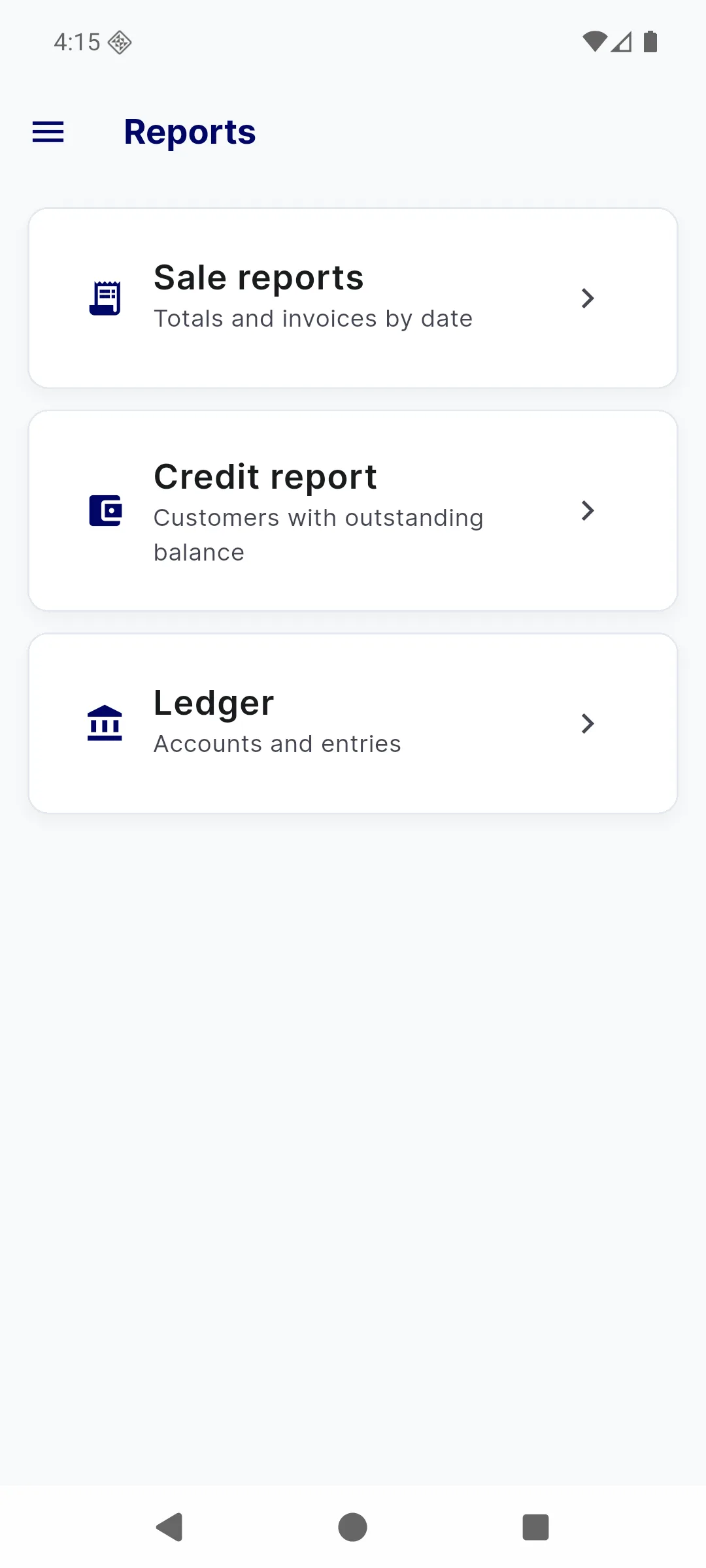
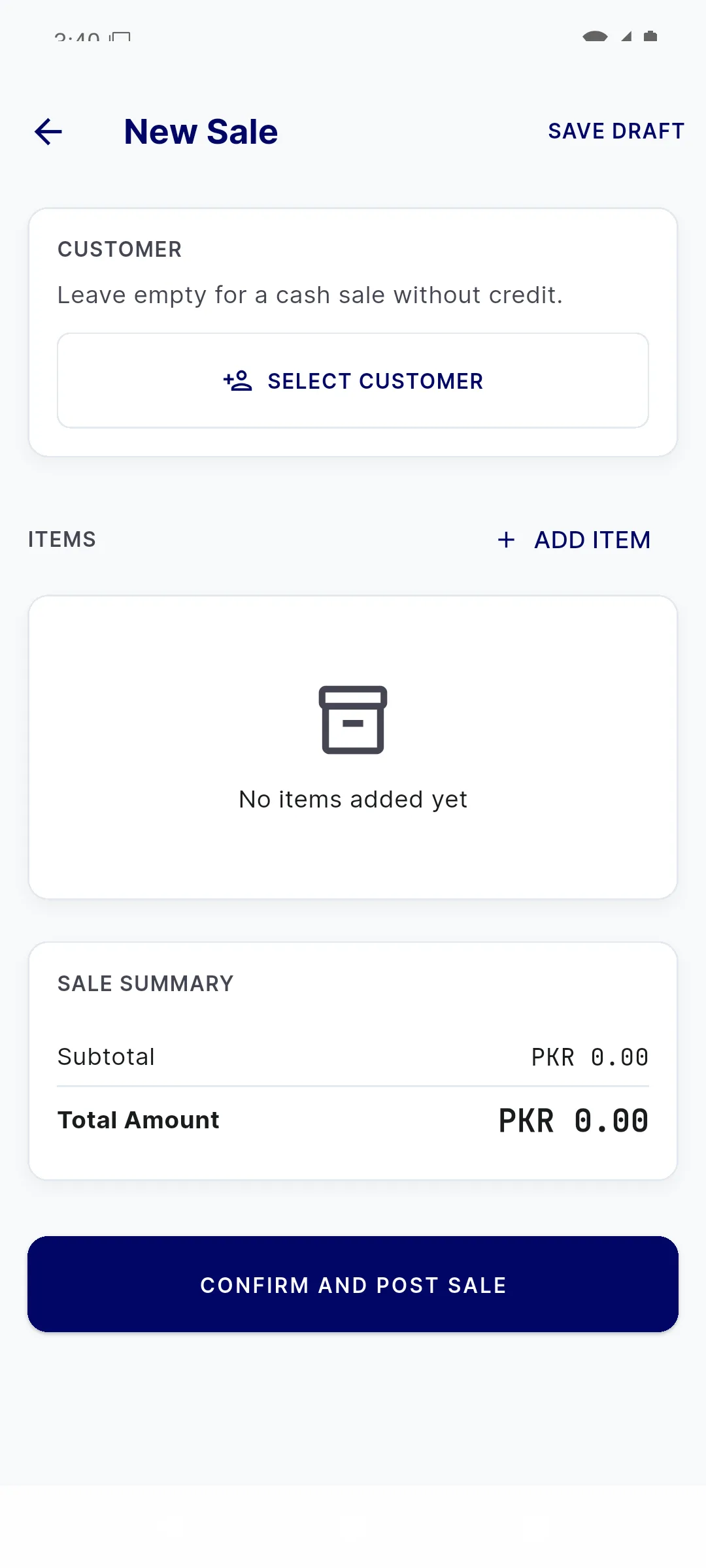
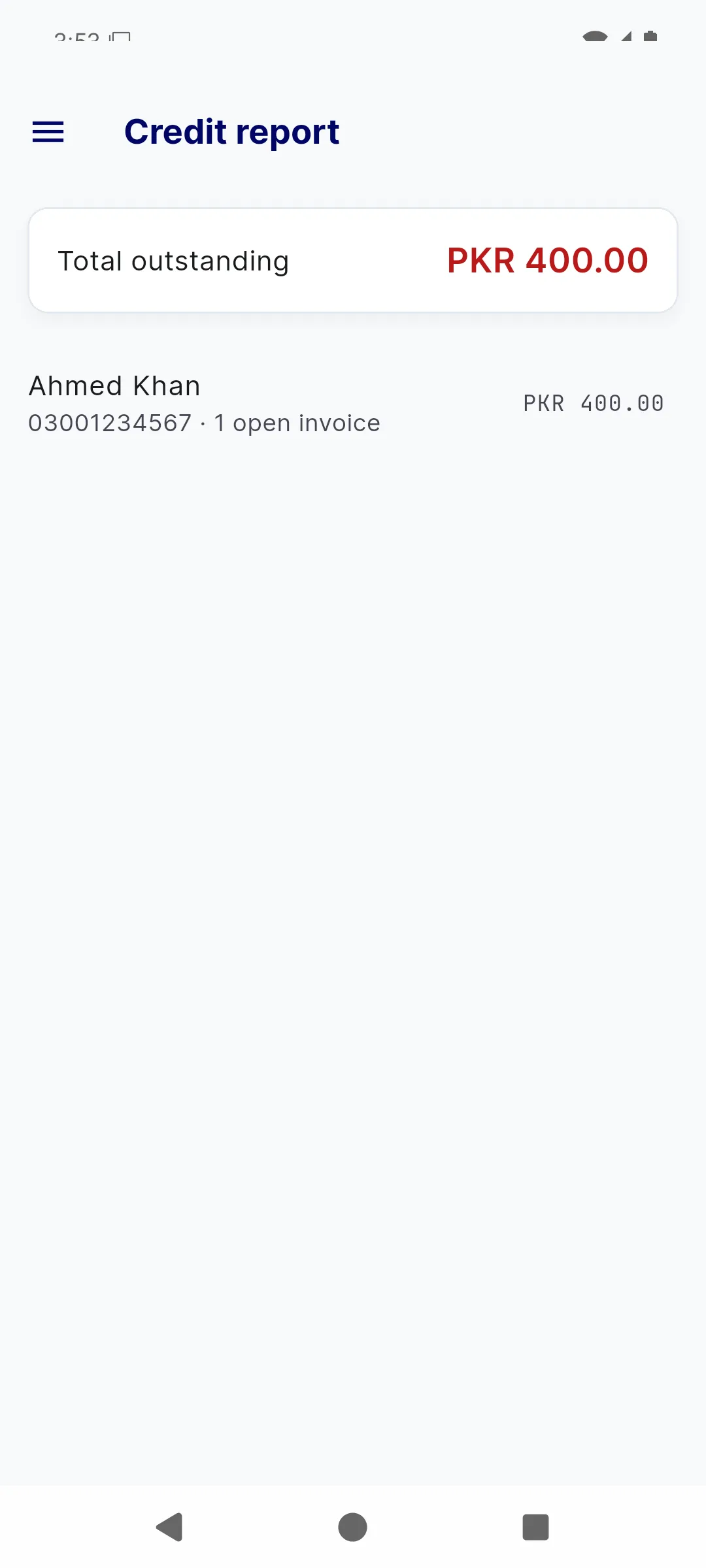
Real BMS Mobile screens. Sample business data.
Works fully offline
No internet dependency
Light on the phone
Ready for 2 GB RAM
One operator, one device
No setup ceremony
Your data stays with you
Local-first by design
From box to counter
Set up once. Then just run the day.
No implementation project. No training week. BMS is designed so one person can open the app and get on with the work.
- 01
Set up the shop
On first launch, create the business profile and the first administrator. No account, email or activation code.
- 02
Add what you sell
Add items, units and opening stock, or receive a purchase order. Barcode scanning is optional.
- 03
Run the day
Sell, collect, restock and deliver. The dashboard keeps today’s numbers and alerts in one place.
Everything in one place
The whole counter, without the clutter.
Seven modules cover the day from the first sale to the last recovery payment. Each one stays out of the way until you need it.
Dashboard
The day at a glance
Today’s sales
PKR 800
Cash + creditOutstanding credit
PKR 400
1 customerLow stock
1 item
Reorder soonRoute stops
3 today
PlannedReports
Numbers you can act on
Sales summaries, credit ageing and a simplified ledger.
Sale Counter
Ring up a sale in seconds
A fast counter for walk-in and credit sales. Search or scan an item, choose cash or credit, and stock is deducted automatically with a clean invoice number.
Explore sale counterInventory
Know what's on the shelf
Items, units, stock levels and movement history in one place. Low-stock warnings and batch traceability help you reorder before a shelf runs empty.
Explore inventoryCustomers & Credit
Recovery without the guesswork
See who owes what, record a recovery payment in two taps, and print a clear ageing report. Credit is part of the business — managing it should be simple.
Explore customers & creditPurchases
From supplier to shelf
Raise purchase orders, receive stock line by line, and create batches as goods arrive. Suppliers and stock stay connected to the documents that created them.
Explore purchasesDelivery Routes
Plan the van, not the paperwork
Build an ordered list of stops, deliver and collect payment at each one, then hand the whole route to Google Maps. Built for field sales and recovery visits.
Explore delivery routesOffline-first
No signal? No problem.
Your business shouldn’t stop because the internet did. BMS keeps every record in a local database on the device, so the counter stays fast even when the network doesn’t.
Local by design
Sales, stock, credit and routes live in an on-device SQLite database.
No loading spinners
Actions complete on the device instead of waiting on a server round-trip.
Move phones safely
Transfer the whole business with an AES-256-GCM encrypted .bmsbackup file.
Take the numbers with you
Export a 12-sheet Excel workbook whenever you need it.
Offline · everything saved
On this device
bms_mobile.db
From
Old phone
To
New phone
Illustrative device view. The app uses the same local-first model.
Made for the real world
Built for the phone you already own.
Busy counters, patchy connections and phones that are already doing three jobs. BMS is designed to fit in, not ask for an upgrade.
2 GB
Runs on low-RAM phones
Comfortable on Android devices with 2 GB of memory; 3 GB or more recommended.
80.0 MB
A small install
Plus space for backups, invoices and Excel exports.
0
Internet required
Every business feature works without a connection or account.
7.0+
Android supported
From Android 7.0 (API 24) upward, with camera scanning optional.
Windows 10/11 is in preview. The Android app is available today.
Simple pricing
Free where it should be.
Core BMS is free for small shops. Paid upgrades are planned for cloud backup and multi-user enterprise operations — and nothing is charged today.
Local
FreeEverything you need to run one counter. No card, no trial timer, no per-invoice fee.
- All core modules on one device
- Unlimited records on your phone
- Offline sales, stock and credit
Cloud Backup
In designOptional encrypted backups away from the device, so a lost phone never means lost records.
- Encrypted off-device backups
- Restore to a new phone
- Keep working offline as usual
Enterprise
Coming soonFor teams, branches and back offices that need a shared source of truth beyond one counter.
- Central server and back-office client
- Roles, permissions and audit logs
- Branches and tenant isolation
The free tier is a soft guideline for businesses with monthly revenue under PKR 5 lakh — not a paywall.
BMS Enterprise
More than one counter?
Enterprise is being built for teams that need a shared view across branches — with roles, audit logs and a back-office client.
In development. Mobile and Desktop remain independent offline apps.
Branches
3 active locations
Karachi · Main
4 users
Lahore · Depot
3 users
Head office
2 admins
Questions
A few things worth knowing.
Straight answers about offline use, data, devices and pricing.
Does BMS work without the internet?
Which devices can run BMS?
How much does BMS cost?
Is my business data safe?
Can I move my business to a new phone?
Get started today
Ready to run a calmer business?
Install BMS on the phone you already own. Set up your shop in a few minutes, then keep selling whether the internet is up or not.
Free for small shops · No account · Works offlineLatest APK · 80.0 MB